
Help and resources
Guides and tools to help you get hired, hire well and get more from Crew HQ.
What are you on Crew HQ for?
Do it by email
No log in. Write from the email address of your Crew HQ account and you get a reply saying what was done.
Quick answers
How Crew HQ works, in a few lines each.
What is Crew HQ?
A professional network for yachting. Crew keep one profile with their CV, references and certificates. Captains and recruiters search those profiles and contact crew themselves. Companies and training schools are listed in a directory with a pin on the map.
Is Crew HQ a crew agency?
No. Nobody sits between crew and the person hiring. Employers search, open a profile and get in touch directly. There is no placement fee and no commission, for crew or for employers.
Is Crew HQ free for crew?
Yes. A profile, your CV, your references, applying to jobs, posting a notice and your private Crew HQ Me link are free. Premium (£30 a year or £3.50 a month) puts your profile ahead of free profiles in crew search and adds a gallery, stored certificates with expiry reminders and Stealth Mode. Compare the memberships.
What is the quickest way to get a profile?
Email your CV, as a PDF or Word file under 5 MB, to [email protected]. Crew HQ builds a free profile from it and emails you a button that signs you in. The profile stays hidden until you press that button. Or register free and fill it in yourself.
How do I update my CV or profile without logging in?
Send your new CV to [email protected] from the email address of your Crew HQ account. It replaces the old CV on your profile, fills in details that are missing (what you had already written is kept) and you get an email back with a button that signs you in, no password needed.
Filling in details from a CV is free the first time; after that it is part of Premium and Professional. The new CV file is always saved.
Do I need a CV template?
No. Crew HQ builds a designed PDF CV from your profile: photo, contact details, qualifications, languages, yacht experience, vessels and references. It comes with every account, and it is rebuilt from your profile each time, so it is never out of date. Open Crew HQ Me to look at it and download it.
What does someone see when they scan the code on my CV?
The CV carries a QR code for your private Crew HQ Me link. Whoever holds the CV, on paper or on a screen, opens your profile as it is today: experience, where your references are from and your latest CV to download. They need no account and no membership. You choose on Crew HQ Me what the link shows, and you can switch the link off.
Can I keep my own CV instead of the one Crew HQ builds?
Yes. On Crew HQ Me you choose whether your link, and employers who open your profile, get the CV built by Crew HQ or the file you uploaded.
What makes a profile get noticed?
In this order: your main job title, where you are now, your main qualification, a CV, a photo and at least one reference. Complete profiles are shown ahead of thin ones when Crew HQ suggests crew for a position, and Premium profiles come first.
How are references checked?
By email. You add a reference with your referee's email address, Crew HQ writes to them, and they confirm it. It is free for every member. One reference completes a profile; two or three from different employers read better to a captain. Your referees' contact details are never shown on your private link.
Where do I keep my certificates, and who sees them?
On your documents page, each with its expiry date. Crew HQ emails you about three months before one runs out. Storing documents is part of Premium, or comes with a seat on a captain's crew list. They are seen by you, by a captain whose crew list you have joined, and by employers with Professional Membership who open your full profile.
Who can see my profile and contact details?
Visitors and free members see your photo, first name and position. Your full profile, CV and contact details open to employers with Professional Membership, and to anyone you give your Crew HQ Me link.
I have a job. Can I stay on Crew HQ without my crew knowing I am looking?
Set your availability to "Currently employed" and your profile is left out of crew search, or to "Employed, open to offers" to stay findable. With Premium, Stealth Mode lets you look for a new position without your current crew noticing.
How do I apply for a job?
Will Crew HQ tell me about jobs?
Yes. When a job is posted that matches your profile you get an email, at most one a week, while your profile is active and set to looking for work. You can also tick "Yacht jobs" in your email choices for the jobs round-up.
What is "Who is hiring"?
What is the notice board for?
Day work, crew available now, and kit for sale. Posting a notice is free for every member: see the notice board.
How do I post a job?
The quickest way is by email: write the position as you would in a message, or forward one you already have, to [email protected] from the email address of your Crew HQ account. It is laid out as an advert on your account, with the vessel, start date, salary and qualifications picked out. The first time, Crew HQ emails you to confirm it is you; after that your jobs go live when you send them.
Or add it on the site. Posting is free on every membership.
What does it cost to hire through Crew HQ?
Posting a job is free, and crew who are interested reach you with their profile, CV and references. There is no placement fee. Professional Membership (£150 a year or £25 a month) opens every crew profile in full, with CV downloads, checked references and direct contact, so that you can search and approach crew yourself.
Can I search the crew database?
Yes: search crew by position, experience and location. Anyone can search and see photos, first names and positions. Full profiles, CVs and contact details open with Professional Membership.
I am always looking for good crew. Can I say so without posting a job?
Yes. On Edit profile, under Recruitment, tick the positions you hire for and add the yacht type and size. You are then listed under "Who is hiring" on the jobs page and on the job map, and matching crew are shown to you.
Does Crew HQ vet crew?
Crew HQ confirms references by email with the person who gave them, and shows which are confirmed. It does not interview crew or check certificates with the issuing body: do your own checks before you hire, as you would with any CV.
Can I keep track of my own crew's certificates?
Yes, with My Crew. You add each crew member by email and they choose to accept. You then see, on one page, the certificates and documents they store on Crew HQ: what is valid, what expires in the next 90 days and what has run out. It is priced per crew member, and the page shows an example list before you pay anything.
How do I list my company?
Add your listing. A basic listing is free: a page in the yachting directory and a pin on the service map. A full listing is £45 a year or £6 a month.
My company is already in the directory. How do I take it over?
Open your page in the directory and use the claim link on it, or write to [email protected] from an address at your company. Claiming is free.
Can I update my listing by email?
Yes. From the email address of the account that owns the listing, write to [email protected] with what has changed: description, phone, address, opening hours, website, social links. Attach a logo to replace the old one. Crew HQ replies with what it changed.
Can I publish our news on Crew HQ?
With a full listing, yes. Email the story to [email protected] from your account address, with a picture attached if you have one. It is published in Crew HQ news and on your listing.
How do training schools appear on Crew HQ?
In the training school directory, with a pin on the map so that crew see the schools near them. A basic listing is free and shows the names of your courses. A full listing (£45 a year or £6 a month) shows each course on its own page with dates, prices and places.
Where do I find a course near me?
The training school directory lists schools with a map. Open a school to see its courses. When a certificate on your profile is about to expire, Crew HQ reminds you by email.
Which membership do I need?
None, to have a profile, apply for jobs or post a job. Premium (£30 a year or £3.50 a month) is for crew who want to be seen first. Professional (£150 a year or £25 a month) is for captains, managers and recruiters who want every profile in full and to contact crew directly. Captain is for whoever keeps a crew list and its documents. Company and school listings are for businesses. See memberships.
How do I cancel, change my card or get a receipt?
On My membership. Paid memberships renew automatically, can be cancelled at any time and run to the end of the period you paid for. You can switch between monthly and yearly there too.
I have forgotten my password.
Use "Forgot password" in the sign-in panel and a link is emailed to you. Crew can also email a CV to [email protected] from their account address: the reply carries a button that signs you in.
How do I choose which emails I get?
There are three you choose: Yacht jobs, Latest news and Special offers. Tick them on Edit profile, or use "Choose what we send you" at the foot of any Crew HQ email. Without an account you can subscribe here. Emails about your own account (password, receipts, membership) always arrive.
How do I reach a person?
Write to [email protected] and a person replies by email. For a quick answer about how something works, ask the Crew HQ assistant in the panel on the right.
Nothing matches that. Ask the Crew HQ assistant, or write to [email protected].
Using Crew HQ
What the site does for you, and how to switch it on.
 How toJust Crew HQ me: your profile and CV in one private linkA captain asks for your CV on the dock. A recruiter messages you between charters. Now you can answer both with four words: ...Read
  How toYour CV, built by Crew HQ and always up to dateMost crew CVs are a Word file last touched two seasons ago. Crew HQ now builds one for you from your profile, so it is current...Read
  How toUpload your CV and the Crew HQ Assistant fills in your profileFilling in a profile field by field is the reason most profiles are half empty. So we taught the Crew HQ Assistant to read your...Read
  How toFor recruiters: the Crew HQ Assistant shortlists the best crew for your jobPost a job and, before you have finished your coffee, have a ranked shortlist of crew who fit it, with the reason for each.How...Read
 Guides and advice
CVs, interviews, training and life on board, from the Crew HQ archive.
 DownloadYour yachting CV, built free by Crew HQYou do not need a template: Crew HQ builds your yachting CV from your profile, free with every account, with a QR code back to...Read
  GuideCommon CV MistakesJob hunting is stressful. We all know, too well, the pressure of having to find and secure a position on a yacht. We start to...Read
 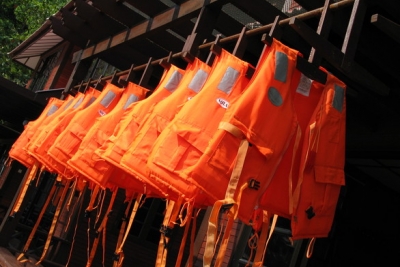 Guide5 Tips For Crew SafetySafety; something crew often take for granted until it is too late. Whether it’s failing to wear a harness when trying to clean...Read
  GuideConducting a Productive InterviewInterviews can be nerve racking for job seeking candidates but they can be equally stressful for the hiring crew. The task of...Read
  GuideHelp! I Cant Seem To Find a JobFor as long as successful yacht enthusiasts have been buying yachts, there have been yachties and sailors working on them and...Read
 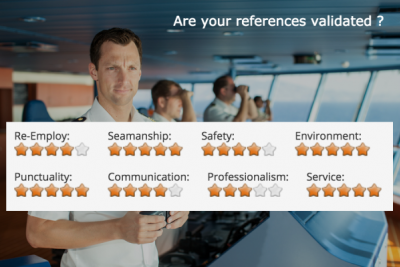 AdviceValidated Crew ReferencesA reference is worth more when the person who gave it has confirmed it. On Crew HQ that happens by email, for every member,...Read
 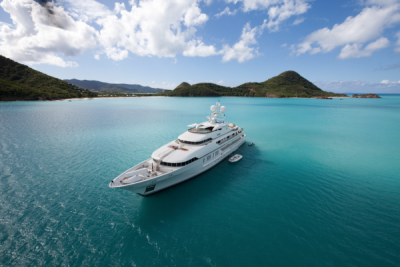 AdviceThe ART of the Superyacht CV Landing that dream job takes more than a pretty face. A pretty face does help... but you also need to create a juicy CV. ...Read
  AdviceMaking Sure Rotations Run SmoothlyHuman beings are creatures of habit. If change can be, it is avoided at all cost. A vessel is never more tense than when the on...Read
  AdvicePalma v AntibesShould you travel to Palma or Antibes when you embark on your search for work? Read our blog and see what we suggest!Read